Shopify RMA Workflows: 7-Stage Best Practices
A Shopify RMA workflow runs in seven stages from request to refund, with clear owners and rules that auto-approve low-risk returns.
Hylke Reitsma is co-founder of Forthsuite and a supply chain specialist with 8+ years of hands-on experience at Shell, Verisure, and Stryker. He holds an MSc in Supply Chain Management from the University of Groningen and writes practical guides to help e-commerce teams run leaner, faster supply chains. Selected by Replit as 1 of 20 founders for the inaugural Race to Revenue Cohort #1 (2026) and certified as a Replit Platform Builder.
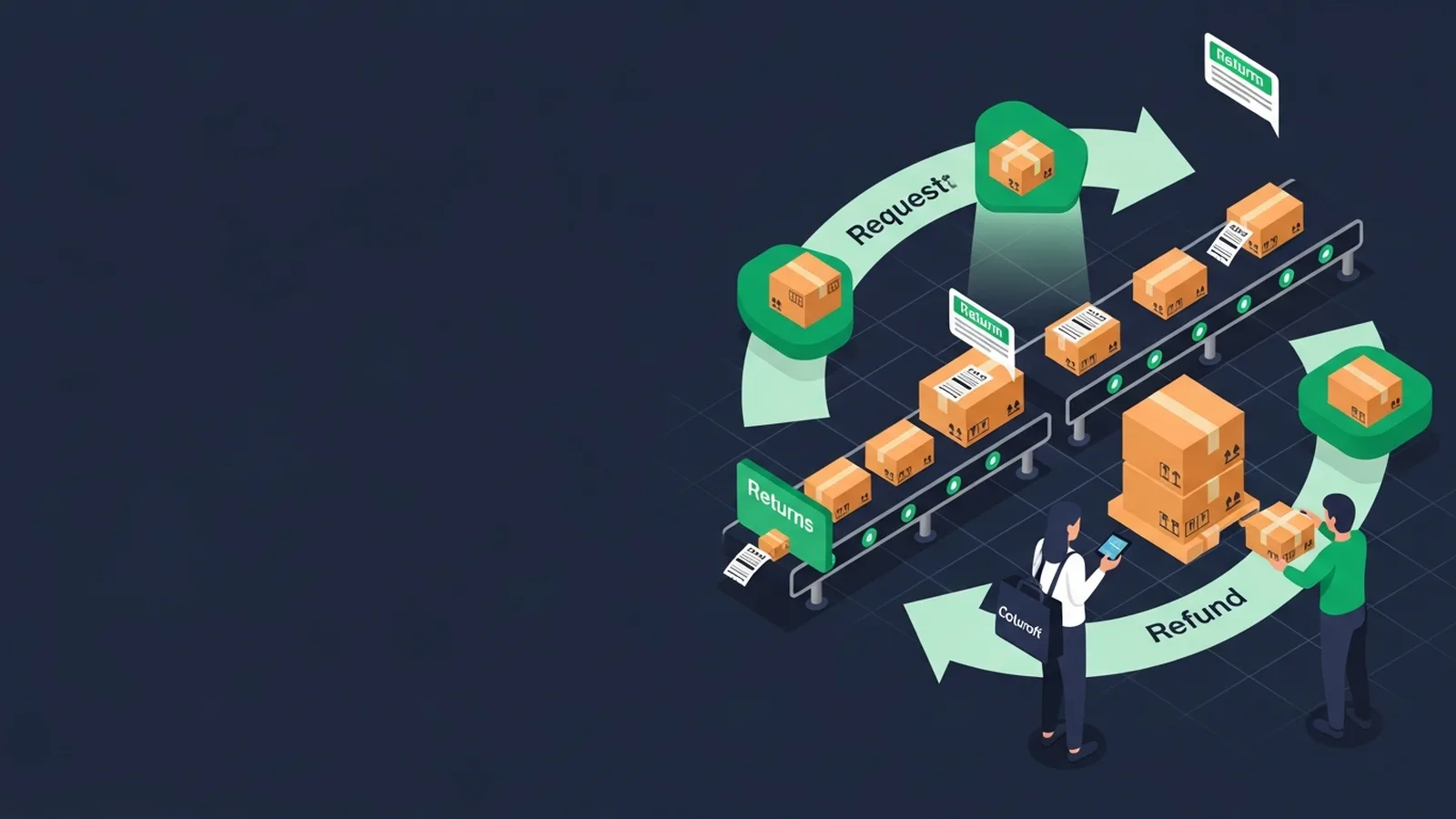
Shopify RMA Workflows: The 7-Stage Operator Standard for 2026
TL;DR: The best Shopify RMA workflow for 2026 follows seven stages from request to refund, with clear ownership assignments and automation rules that auto-approve 70% of low-risk returns. Forthroute helps Shopify operators streamline their entire returns and exchange process through intelligent reverse logistics management that automates approvals and reduces manual handling.
Last updated: July 2026
TL;DR. From request to refund — the seven RMA stages, who owns each, and the rules that auto-approve 70% of low-risk returns.
If you operate returns at scale on Shopify, this guide is one of 25 spokes inside the Shopify Returns Management Hub — start with the pillar for the operator-level overview, then come back here for the deep dive on shopify rma workflow. The short answer to "What does a good RMA workflow look like for a Shopify store?": work the framework below, ship the policy wording, and instrument the metric we call out at the end.
What an RMA actually is
What an RMA actually is is a load-bearing step. The Forthroute team works with Shopify brands on returns, and this is the version of the playbook that survives contact with peak season.
Use the rule set below as your default and adjust the thresholds for your category and AOV.
- Define the input you actually have (Shopify order data, return reason, customer cohort).
- Pick a default rule that handles 70% of cases without human review.
- Write the customer-facing wording before you write the rule — the wording is the product.
- Instrument the conversion (refund-to-exchange, repeat-return rate, refund cycle time).
Stage 1-7 walkthrough
| Stage | Primary owner | Required output |
|---|---|---|
| 1. Request | Customer | Order, item, reason and requested resolution. |
| 2. Eligibility | Rules engine | Auto-approve, request evidence or send to manual review. |
| 3. Resolution | Customer and policy | Exchange, store credit, refund or rejection decision. |
| 4. Authorisation | Returns team | RMA identifier plus label, QR code or return instructions. |
| 5. Transit | Carrier or customer | Tracked return movement and exception status. |
| 6. Inspection | Warehouse or 3PL | Condition, restock, repair or write-off disposition. |
| 7. Settlement | Commerce operations | Exchange shipment, credit or refund plus closed-loop metrics. |
Stage 1-7 walkthrough is a load-bearing step. The Forthroute team works with Shopify brands on returns, and this is the version of the playbook that survives contact with peak season. Use the rule set below as your default and adjust the thresholds for your category and AOV.
- Define the input you actually have (Shopify order data, return reason, customer cohort).
- Pick a default rule that handles 70% of cases without human review.
- Write the customer-facing wording before you write the rule — the wording is the product.
- Instrument the conversion (refund-to-exchange, repeat-return rate, refund cycle time).
Auto-approval rules
Auto-approval rules is a load-bearing step. The Forthroute team works with Shopify brands on returns, and this is the version of the playbook that survives contact with peak season.
Use the rule set below as your default and adjust the thresholds for your category and AOV.
- Define the input you actually have (Shopify order data, return reason, customer cohort).
- Pick a default rule that handles 70% of cases without human review.
- Write the customer-facing wording before you write the rule — the wording is the product.
- Instrument the conversion (refund-to-exchange, repeat-return rate, refund cycle time).
Manual review triggers
Manual review triggers is a load-bearing step. The Forthroute team works with Shopify brands on returns, and this is the version of the playbook that survives contact with peak season.
Use the rule set below as your default and adjust the thresholds for your category and AOV.
- Define the input you actually have (Shopify order data, return reason, customer cohort).
- Pick a default rule that handles 70% of cases without human review.
- Write the customer-facing wording before you write the rule — the wording is the product.
- Instrument the conversion (refund-to-exchange, repeat-return rate, refund cycle time).
Restock vs writeoff decisions
Restock vs writeoff decisions is a load-bearing step. The Forthroute team works with Shopify brands on returns, and this is the version of the playbook that survives contact with peak season.
Use the rule set below as your default and adjust the thresholds for your category and AOV.
- Define the input you actually have (Shopify order data, return reason, customer cohort).
- Pick a default rule that handles 70% of cases without human review.
- Write the customer-facing wording before you write the rule — the wording is the product.
- Instrument the conversion (refund-to-exchange, repeat-return rate, refund cycle time).
Where ForthRoute falls short
ForthRoute tracks the return shipment itself, but it is not a full post-purchase suite: it does not track your outbound orders across carriers or give shoppers a branded order-tracking page for every purchase. ForthRoute runs no drop-off or return-bar network of its own; QR returns use the carrier's existing locations.
Brokered label coverage is also uneven outside the US, Canada and core Europe, and some regions are bring-your-own-carrier only.
Where ForthRoute is strongest
Free to install and use with unlimited returns, a branded portal, printerless QR labels, and one-click refunds that restock in Shopify. Full exchange support including instant exchange, free return shipping on exchanges and size suggestions to steer a swap, with one-click refunds that restock in the same step.
FAQ
What does a good RMA workflow look like for a Shopify store?
Yes — and the framework above gives you the operator answer in under 700 words. From request to refund — the seven RMA stages, who owns each, and the rules that auto-approve 70% of low-risk returns.
How does this affect refund cycle time on Shopify?
Most operators see refund cycle time drop from 7-9 days to 3-5 days once the rules above are in place. The biggest single lever is auto-approval for low-risk, low-value returns.
Does Forthroute support shopify rma workflow natively?
Yes. Forthroute ships with the rule engine, customer portal, and Shopify-native integration the framework above assumes. Pricing is free — see pricing.
Where does this fit in the broader Returns Management Hub?
This spoke is one of 25 inside the Shopify Returns Management Hub. The pillar covers the full operator overview; come back to this spoke when you specifically need to solve shopify rma workflow.
Next step
If you want the full operator playbook across all 25 spokes, the Shopify Returns Management Hub stitches them together. If you want to ship this in one afternoon on Shopify, install Forthroute — it's free.
Building Your Auto-Approval Logic: What Data Points Matter Most?
The foundation of a smooth RMA workflow is deciding which returns you can approve instantly and which need human eyes. Start by listing the data you already capture in Shopify: order value, time since purchase, return reason, customer account age, and whether this is a repeat return from the same person.
For each of these, set a threshold. Example: a return request within 30 days, reason listed as "wrong size," no prior returns from that customer, and order under a certain price point might auto-approve to refund. A different combination—return after 60 days, reason "changed mind," but the customer has a clean history—might auto-approve to exchange instead. The key is matching your thresholds to your product category. Apparel has different seasonality and return patterns than electronics or home goods.
Don't over-engineer this. Start with two or three simple rules that you're confident about, measure how many returns they capture, and iterate. The goal is consistency and speed, not perfection on the first pass.
How to Communicate Return Options Without Overwhelming Customers
Once your workflow is built, your customer-facing return portal is your voice. The wording you use shapes whether customers choose refund, exchange, or store credit—and that directly affects your bottom line and operational load.
A portal that leads with "Choose your resolution" and offers all three options equally will see different behavior than one that says "Most customers choose exchange—here's why" and places that option first. Neither is deceptive; the second is just intentional design.
Write your portal copy as though you're a trusted advisor, not a gatekeeper. Explain the timeline for each option (e.g., "Exchange ships in 2–3 business days; refund processes in 5–7"). Show the refund amount if applicable. If you're using QR labels or pre-paid shipping, make it clear and visible. The easier the return process feels, the more goodwill you preserve even when the customer isn't getting what they wanted.
Monitoring the Right Metrics to Spot Workflow Breakdowns
You can't improve what you don't measure. Beyond the obvious (total returns, approval rate, refund cycle time), track the metrics that reveal where your workflow is actually breaking down.
Watch your refund-to-exchange ratio. If it's skewing heavily toward refunds, investigate whether your portal is nudging customers that direction, or whether your auto-approval rules are too conservative. Track repeat-return rate: customers who return the same product multiple times within a season signal a sizing, quality, or product description issue upstream, not a returns-process problem—but your RMA data should surface it.
Monitor manual review queue size and age. If manual reviews are piling up, your auto-approval thresholds are too strict, or your team lacks capacity. Both need fixing. Finally, measure approval-to-shipment time for auto-approved returns: the faster you move approved items, the faster you close the refund loop and reduce customer follow-up emails.
What happens when a return doesn't fit your rules?
Inevitably, a request will land outside your auto-approval thresholds: a high-value item, a return after 90 days, or a customer with a history of returns. This is where human judgment enters, and it's where you either build loyalty or create friction.
Set clear criteria for your manual review team: Are you approving this refund to preserve a good customer relationship, even though it's outside policy? Are you countering with an exchange offer instead? Is this a case where you need more information (photos of the item, tracking details) before deciding? Document the decision and the reasoning so patterns emerge over time.
The goal isn't to reject returns; it's to make deliberate decisions and learn from them. A return that seems like a one-off edge case in January might reveal a systemic issue by March if you're paying attention.
Run Shopify returns in a branded portal you control — Forthroute, no subscription or monthly return limit.
About the Author

Hylke Reitsma is co-founder of Forthsuite and a supply chain specialist with 8+ years of hands-on experience at Shell, Verisure, and Stryker. He holds an MSc in Supply Chain Management from the University of Groningen and writes practical guides to help e-commerce teams run leaner, faster supply chains. Selected by Replit as 1 of 20 founders for the inaugural Race to Revenue Cohort #1 (2026) and certified as a Replit Platform Builder.
LinkedIn